Changelog

Introducing Comments
Snapshots can now collect feedback. Send one link, and whoever opens it can click on any spot and drop a comment. The thread lands in your inbox in the app, you gather feedback, make changes, republish, and reply. A design review runs on one link instead of screenshots and chat threads.
This is LocalCan's first collaborative feature, and it arrives at a moment when the people who need it most have changed. Designers increasingly build real, working prototypes in code with AI. Those prototypes deserve the same review loop a Figma file gets, on the real thing, in a real browser, at real breakpoints. Comments give them that.
- One link does everything. Commenting is possible on Snapshots protected by a password or secret link. Whoever can open the Snapshot can comment, and nobody else can see the feedback. To post a comment, reviewers sign in with a free LocalCan account.
- Your inbox in the app. The new Comments view lists threads newest first, grouped by page, with unread marks that follow your account across machines.
- Email notifications. One email per Public URL sent to you that summarises new comments.
Comments are available on paid plans. Turn them on under Snapshot → Comments on any protected Public URL. Details in the Comments docs.
Let your agent act on the feedback
Reading the comments is only half of it. A coding agent connected through LocalCan's MCP server can run the whole loop: read the open threads, with the exact element and viewport each pin points at, make the changes, publish the new version, then reply on each thread and resolve it. Pins carry over, so the reviewer sees the reply on the same spot. The server explains this loop to the agent itself, so you can just say "handle the review comments on my prototype".
The same loop works from the terminal. The tools and commands are in the Daemon 1.2.0 notes below.
Virtual host targets
An app served as a virtual host, a Laravel Herd or Valet site at myapp.test or an nginx server_name, needs to see its own hostname. Agents and the quick tunnel commands can now set the target host and a Host header rule when they create a Public URL, and edit the rules on an existing one. The exact options are in the Daemon 1.2.0 notes.
This version ships with Daemon 1.2.0
Comments on Snapshots
Snapshots can now collect feedback from reviewers: a pin on the page, a thread under it, replies, resolve. Turn it on with localcan snapshot comments <url> on on any Public URL with Access control, and work through the feedback from the terminal:
localcan comments ls <url>lists the open threads,--resolvedor--allwidens the list,--pageand--versionnarrow it.localcan comments show <url> #3prints a thread with its replies, the page, the element the pin points at, and the reviewer's viewport.localcan comments reply,resolveandreopenact on a thread by its number or id. Replies post under your account's name and reach the reviewer by email.
snapshot comments <url> pause closes a review round without losing the conversation, off hides the review tools and keeps the comments. Comments need a paid plan, since they need Access control.
MCP: agents that act on the feedback
The MCP server gains list_comments, reply_comment, resolve_comment, reopen_comment and set_comments, and get_snapshot_status now reports the Snapshot's version and comments state. Together with update_snapshot they close the loop: an agent reads the open threads, edits the source, publishes the new version, and replies on each pin. The server's instructions describe this loop to the agent, along with the review-round setup and the virtual host recipe below. Agents cannot start threads or mark them read.
Virtual host targets
create_public_url takes an optional host and request headers, set_public_url_headers edits the rules on an existing URL, and get_public_url_status reports them. An app served as a virtual host, a Laravel Herd or Valet site at myapp.test or an nginx server_name, gets the Host header it expects with headers: [{"name": "Host", "value": "{{target_host}}"}]. The quick tunnel commands take the same options: localcan http 80 --host myapp.test -H "Host: {{target_host}}".
Snapshots on every plan
Snapshots are no longer paid-only. The Free plan can now publish them too, so a shared prototype keeps working while your machine is off.
The Snapshot count limits are gone as well. Any of your Public URLs can have a Snapshot, and each plan includes snapshot storage for your team instead:
- Free: 150 MB
- Solo: 1 GB
- Pro: 2 GB
- Teams: 10 GB
Access control stays on paid plans. To put a password, a secret link, or IP rules in front of a Public URL, use Solo, Pro or Teams.
This version ships with Daemon 1.1.0
Snapshots on every plan
localcan snapshot publish, add and update now work on the Free plan, and the MCP snapshot tools follow the same rule. Snapshot count limits are gone. Each plan includes snapshot storage for your team instead: 150 MB on Free, 1 GB on Solo, 2 GB on Pro, 10 GB on Teams.
localcan access stays on paid plans. To put a password, a secret link, or IP rules in front of a Public URL, use Solo, Pro or Teams.
Fixes
- Adding a Snapshot to a quick tunnel is now rejected upfront. A quick tunnel's URL is released when it stops, so a Snapshot on one could never serve. Use
localcan snapshot publishfor a lasting link. - On the Free plan, enabling a Public URL whose session already ended used to do nothing. It now explains that the URL keeps serving its Snapshot and that going live again takes a new Public URL.
- Publishing past your plan's snapshot storage returns a clear storage-limit error, and the MCP variant tells the agent which Snapshots it could remove to free space.
LocalCan 3.0 🎉
For developers, designers and AI agents
LocalCan 3.0 is out of beta, and it is no longer only a developer tool.
- Developers get Public URLs (tunnels),
.localdomains with automatic HTTPS, and traffic inspection. - Designers get one link to hand a client that keeps working after the laptop closes. A Snapshot takes over when the live URL goes offline, so the link never dies when computer goes to sleep.
- AI agents get an MCP server that reads HTTP traffic, publishes Snapshots and manages access, so an agent can debug a request it just made.
Underneath all three is a full rewrite. A background service now owns your tunnels, the proxy, local domains and certificates, and the app is a window onto it. Public URLs route through a global edge network, projects are plain YAML you can commit to git, and a localcan CLI ships inside the app.
What's new since 2.x
- Global edge network. Public URLs connect through the location closest to you instead of one fixed region, so shared links load faster and more consistently.
- Configuration as code. Projects live in
~/.localcan/projects/as YAML. Edit by hand, commit them, hot-reload withlocalcan reload. The UI reads and writes the same files. - A real CLI, and Linux.
localcan http 3000from any terminal, JSON output for scripting, and a CLI-only Linux build. - Snapshots. Publish a static copy of a site. When the live URL is offline the Snapshot is served instead of an error page, so a shared link keeps working. Send one to a client or a teammate in another timezone and they can review the work while your machine is off. Publish from the app, the CLI or an agent.
- Access control. Put a password, a secret link, or IP and user-agent rules in front of a Public URL.
- MCP server.
localcan mcpexposes captured traffic to an AI agent: list requests, read a full exchange, publish a Snapshot, set a password. Redaction is on by default and access is read-only until you change it. - Multiple endpoints per service. One service can be a
.localdomain, a Public URL and a custom domain at once, each with its own headers and auth.
Upgrading from 2.x
3.0 installs alongside 2.x and leaves your existing data intact. On the first launch, it asks how much to bring over, and the default ("License only") is the reversible option. The single change that cannot be undone is migrating a Public URL: once it runs on 3.0, it stops working in 2.x, which is especially important for custom domains. 2.x does not auto-update to 3.0, so the update must be made deliberately.
Also in this release
- The keyless state is called Unlicensed everywhere, since "Free" now names the $0 plan.
.localdomains, the proxy and the inspector still work without a license. - Perpetual licenses need an active update window to run 3.0. If yours has ended, 3.0 runs Unlicensed. Your 2.x install is untouched and keeps working with the same key. Extend the app updates period from the dashboard and activate again in 3.0.
- The legacy 7-day device trial is retired. The Free plan and the dashboard's 14-day trial replace it.
- Cloudflare Quick Tunnels have been removed. Use a Public URL or a custom domain instead.
This version ships with Daemon 1.0.0
Questions or something broken? Write to support@localcan.com.
First stable release
The localcan CLI and daemon are out of beta. This is the same binary that ships inside the desktop app on macOS and Windows, and the only way to run LocalCan on Linux.
localcan http 3000opens a Public URL.localcan startruns the daemon,localcan statusreports on it.- Projects are YAML under
~/.localcan/projects/, hot-reloaded withlocalcan reload. localcan trafficexports captured requests as markdown, curl, HTTP, HAR or JSON.localcan mcpruns an MCP server so an AI agent can inspect traffic, publish Snapshots and manage access.--jsonon most commands for scripting.
Linux install
curl -fsSL https://localcan.com/install.sh | sh
Updates are handled by localcan update. On macOS and Windows the CLI comes with the desktop app and updates with it.
Questions or something broken? Write to support@localcan.com.
The Free plan: Public URLs without a subscription
LocalCan now has a free tier. Sign up with just an email and get one Public URL at a time on the new trylocalcan.com domain, with 60-minute sessions and 1 GB of traffic per month. No credit card, no interstitial page for your visitors, ever.
Each session gets a fresh random URL like brave-blue-fox.trylocalcan.com. The app shows a live countdown while the session runs, and when it ends, one click on New URL starts the next one. Pause and resume keep the same URL within the session window. Free sessions are HTTP only. TCP tunnels, custom domains, Snapshots, and Access control stay on paid plans.
Activate from the dashboard in one click
License keys can now open the app directly: click Activate in LocalCan next to a key in the dashboard and the app opens with the key prefilled. You confirm, it activates. No more copy-paste roundtrip.
Also in this release
- The keyless state, previously called "free mode", is now Unlicensed everywhere, since "Free" now names the $0 plan.
.localdomains, the proxy, and the inspector still work without a license. - The legacy 7-day device trial is retired in 3.x. The Free plan and the dashboard's 14-day trial replace it.
- Session-end states got clearer copy and a proper New URL action instead of a dead Retry button.
This version ships with Daemon 1.0.0-beta.10
Still a beta. If you hit anything weird, drop a note at beta@localcan.com. Feedback during the beta is genuinely valuable.
What's New
- The Free plan works from the terminal: with a Free key,
localcan http 3000opens a Public URL on trylocalcan.com and prints the session budget ("Free session: 60 min left · 1 GB/month"). When a session ends mid-run, the command says so and exits cleanly instead of looking hung. - Without a license,
localcan httpnow prints the Free plan signup link alongside the.localURL.
Breaking for scripts
- In
localcan license status --json,modeis now"unlicensed"instead of"free". The--jsonstream'sstatusevent usesunlicensedtoo, and a newsession_endedstatus event precedes the exit when a Free session expires mid-run. localcan license trialhas been removed. Use the Free plan or the dashboard's 14-day trial instead.
Still a beta. If you hit anything weird, drop a note at beta@localcan.com. Feedback during the beta is genuinely valuable.
Publish Snapshots and set password via CLI and MCP server
What you could only do in the app you can now do via new MCP tools and CLI commands. localcan snapshot publish ./dist builds a folder, publishes it, and hands back the Public URL, with add, update, ls and rm to manage the rest. localcan access password <url> generates a password for a URL, alongside clear, show and ls. The MCP server exposes the same set, so you can ask your agent to publish a build or lock a URL down without leaving your editor. Available on subscription plans.
See where your traffic comes from
LocalCan servers now send the LC-IPCountry header with the visitor country code, and Request Inspector now shows a country flag 🇺🇸🇵🇱🇪🇸 next to the visitor's IP. This allows you to quickly determine whether a request was from your teammate, your client, or a bot.
Windows fixes
- The tray icon no longer disappears, and it has a new icon of its own that reads on both light and dark taskbars.
- Launch at Startup keeps working after app update. The login item pointed at the wrong folder after an auto-update.
- Closing the window keeps LocalCan running in the tray instead of quitting, so your Public URLs and
.localdomains stay up.
Also in this release
- Improved Next.js Snapshot build process (static-export).
- Launch at Startup moved from the tray menu to Settings. The tray slot it freed is now Settings…, which opens the app on the Settings page.
- Certificate trust failures now show an error instead of failing quietly.
- Updated to Electron 43. macOS 12 is now the minimum.
This version ships with Daemon 1.0.0-beta.9
Still a beta. If you hit anything weird, drop a note at beta@localcan.com — feedback during the beta is genuinely valuable.
What's New
- Snapshots and Access control are now MCP tools, so an AI agent can drive them: publish a build to a Public URL, refresh it, or password-protect a URL, all without leaving the editor. The tools are
publish_snapshot,add_snapshot,update_snapshot,remove_snapshot,get_snapshot_status,set_password,clear_accessandget_access_status. Passwords are redacted from the MCP audit log. - Snapshots from the terminal:
localcan snapshot publish <path>builds and publishes a folder to a new Public URL, andsnapshot add,update,lsandrmmanage Snapshots on URLs you already have.localcan tunnel rm <url>releases a URL entirely. Available on subscription plans. - Access control from the terminal:
localcan access password <url>password-protects a Public URL, withclear,showandlsalongside it. Enforced on LocalCan's servers, so it keeps working while your machine is offline and covers the URL's Snapshot too. Available on subscription plans. list_public_urlsgained aservingfield, so a URL that is paused but still serving its Snapshot no longer reads as merely paused.
Fixes
- Next.js static export is determined from the actual build output rather than
next.config, so more Next.js projects can now be published as a Snapshot.
Still a beta. If you hit anything weird, drop a note at beta@localcan.com — feedback during the beta is genuinely valuable.
Access Control
Decide who can open your Public URL. Click a URL, open Access Control, and add a password, a secret link, or IP and user-agent rules, and LocalCan enforces them on its servers. That means the protection keeps working while your machine is asleep, and it covers your Snapshot at the same URL, so Snapshots and password protection finally work together. Visitors get a clean branded password page instead of the browser's login popup, so it works for clients and on phones. On the Teams plan you can save a policy once and reuse it across every URL your team shares. Available on subscription plans.
Redesigned URL settings panel
Click a URL and the panel now shows the route your traffic takes: a LocalCan Network card for everything that runs on LocalCan's servers, and your machine below it, joined by the tunnel with live status. Every feature sits on the card that enforces it, so you can tell at a glance what keeps working while your machine is off (Access Control, Snapshot) and what runs locally (Request Headers, Basic Auth, traffic inspection). The panel also remembers which screen you left open for each URL.
License in Settings
Settings now has a proper License section: your plan and status, your license key, and when your updates or subscription renew, with a link to manage them in the Dashboard.
This version ships with Daemon 1.0.0-beta.8
Still a beta. If you hit anything weird, drop a note at beta@localcan.com — feedback during the beta is genuinely valuable.
What's New
- Access control: protect a Public URL with a password page, a secret link, or IP and user-agent rules. Enforced on LocalCan's servers, so protection keeps working while your machine is offline and covers the URL's Snapshot too. Set it in the project YAML with the
policykey and apply withlocalcan reload, or manage it from the desktop app. Available on subscription plans. Team policies require the Teams plan.
Fixes
- Hitting your Public URL limit now shows the exact limit message from the server instead of a generic error.
Still a beta. If you hit anything weird, drop a note at beta@localcan.com — feedback during the beta is genuinely valuable.
Snapshots
Keep your Public URL working while you are offline. Publish a static copy of your app and LocalCan serves it at the same URL whenever you are asleep, quit the app, drop your network, or pause the URL, so teammates, clients or reviewers in another timezone never hit a dead link. LocalCan runs your app's own build for you (Vite, React, Vue, Svelte, Astro, and Next.js static export). Custom domains work too. Available on subscription plans only.
This version ships with Daemon 1.0.0-beta.7
Still a beta. If you hit anything weird, drop a note at beta@localcan.com — feedback during the beta is genuinely valuable.
What's New
- Snapshots: the daemon can publish a static copy of your app and serve it at your Public URL whenever the tunnel is down, including running your app's own build to produce it. Currently managed from the desktop app, on paid plans.
Fixes
- Removing a Public URL that wasn't connected at the time now removes it on the backend too, so it no longer counts toward your Public URL limit.
Still a beta. If you hit anything weird, drop a note at beta@localcan.com — feedback during the beta is genuinely valuable.
Dashboard update
Single Sign-On and SCIM provisioning
LocalCan for Teams now supports SAML single sign-on and automatic user provisioning, included in the Teams plan at no extra cost.
- SSO (SAML 2.0) – Your team signs in with your company identity provider. Works with Okta and any SAML provider, with OIDC as an alternative.
- Automatic provisioning (SCIM) – Connect your identity provider and membership manages itself: add someone to the LocalCan group and they get access and a license automatically, remove them and their access and license key are revoked instantly.
- Seat allowances – Control how many seats each member gets:
0for people who manage the team without using the app, more than one for teammates who run LocalCan on multiple devices. - Auto-expand – Optionally let the team grow itself: when a newly provisioned member signs in and no seat is free, one is added automatically.
Setup takes about 15 minutes. Read the docs to get started.
- AI agents (MCP) — LocalCan is now an MCP server. Connect Claude Code, Codex, Cursor, or any MCP host, and ask your agent to debug a failing webhook from the traffic it actually sent, expose a local port and hand back the Public URL, or pause and clean up URLs you no longer use. Setup lives in Settings, with copyable commands for each host.
- Agent safety — Agent access, secret redaction, and write access are three separate switches. Sensitive headers (Authorization, cookies, API keys) are redacted from agent responses by default, and agents can only read until you allow changes (off by default).
- Request Inspector — Copy an entire request and response in one click: Markdown for AI chats, cURL, raw HTTP, HAR, or JSON.
- Navigation — Remembers your selection and layout per project when you switch between projects.
- Projects — Custom image icons: use your own logo instead of an emoji.
- Naming — Generated
.localnames and*.localcan.devsubdomains are shorter and cleaner.
This version ships with Daemon 1.0.0-beta.6
Still a beta. If you hit anything weird, drop a note at beta@localcan.com — feedback during the beta is genuinely valuable.
New
localcan trafficreads captured request and response traffic from the terminal: list recent exchanges with filters (--host,--project,--method,--status 5xx), stream new ones live withwatch, and export any exchange as markdown, cURL, raw HTTP, HAR, or JSON.localcan mcpruns a Model Context Protocol server for AI agents, with twelve tools covering captured traffic and Public URLs: agents can read exchanges, then create, add, pause, resume, and remove Public URLs. Manage it withlocalcan mcp status | enable | disable | redact | access. Secret redaction is on and write access is off by default.- Quick tunnels: the
--urlflag is now--domainand takes a custom domain you own. Trying someone else's domain gets a clear error with the way forward.
Improvements
- Generated
.localnames and*.localcan.devsubdomain are shorter and cleaner.
Still a beta. If you hit anything weird, drop a note at beta@localcan.com — feedback during the beta is genuinely valuable.
- UI — Paused endpoints now show a green pause icon instead of a crossed-out one.
- Request Inspector — Requests that fail with 502 because your local server is down now keep their request body, for both Public URLs and
.localdomains traffic. - Reliability — Fixed Public URLs failing to connect is some cases, right after migrating from LocalCan 2.x.
This version ships with Daemon 1.0.0-beta.5
Still a beta. If you hit anything weird, drop a note at beta@localcan.com — feedback during the beta is genuinely valuable.
Fixes & improvements
- Fixed tunnels failing to connect with an older (v1) license key — the daemon now upgrades the key first and retries automatically.
- Request bodies are now captured when the target server is down (502), for both tunnels and local domains.
- Clearer error when your license doesn't cover current app version.
Still a beta. If you hit anything weird, drop a note at beta@localcan.com — feedback during the beta is genuinely valuable.
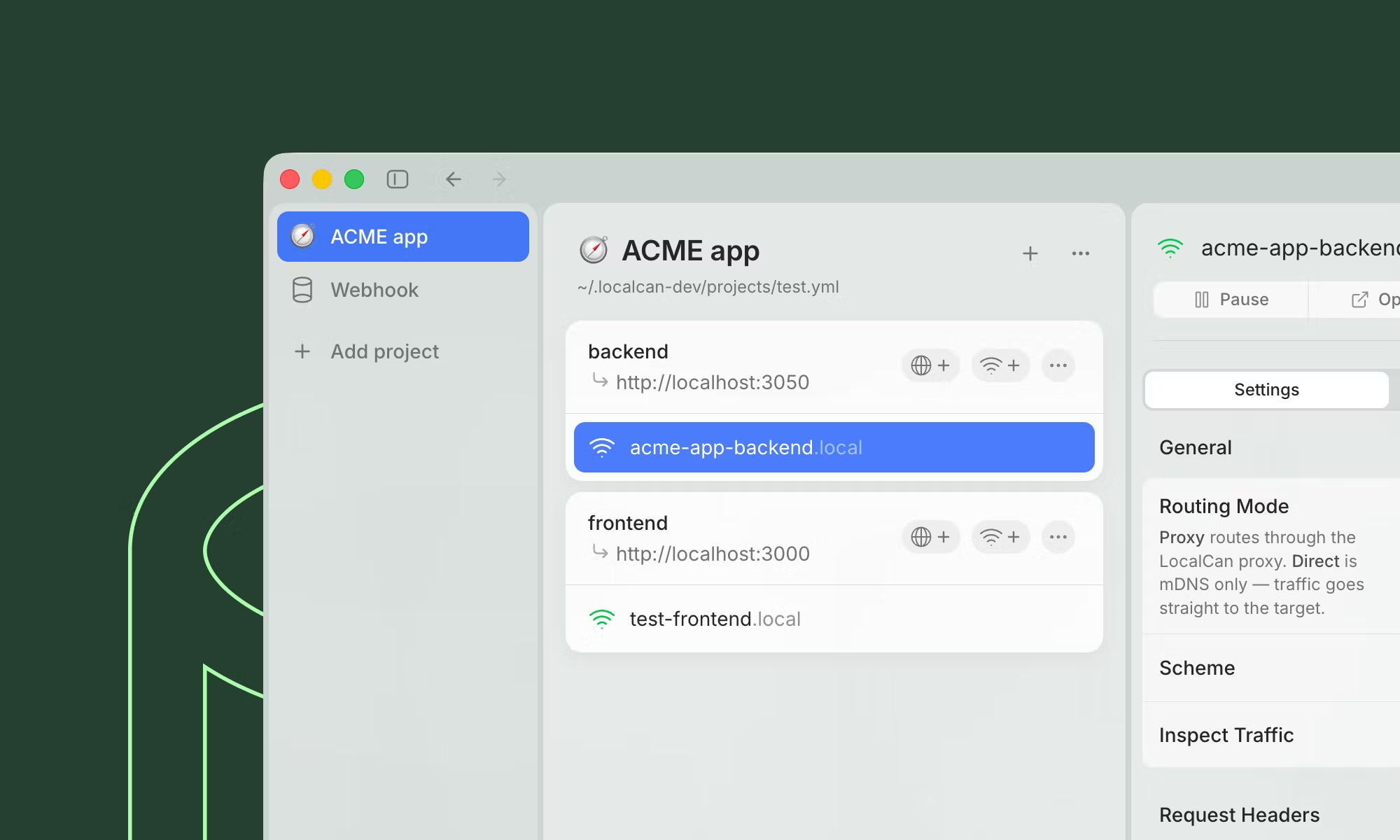
- UI — Sidebar has new updated UI
- Reliability — Improved startup recovery so the app replaces an older stuck daemon with the bundled current one.
This version ships with Daemon 1.0.0-beta.4
Still a beta. If you hit anything weird, drop a note at beta@localcan.com — feedback during the beta is genuinely valuable.
- Fixed an issue where tunnels and local domains could stop working after sleep/wake.
- Fixed restart cases where LocalCan could report port Proxy port already in use by localcan.
- Added extra diagnostics for sleep/wake issues.
Still a beta. If you hit anything weird, drop a note at beta@localcan.com — feedback during the beta is genuinely valuable.
Reliability
LocalCan no longer gets stuck on a "Not connected" error when its background service restarts, your machine sleeps and wakes, or the connection briefly drops. The app keeps retrying and reconnects on its own, then re-syncs your projects, proxy status, and inspected traffic once it's back.
Improvements
- Connecting screen — launch shows a clear "Starting LocalCan…" state, with Open logs and Retry if it stalls.
- Reconnecting badge — a brief "Reconnecting…" indicator appears while the app re-establishes its connection.
- No false activation prompts — a connection hiccup at launch is no longer mistaken for a lapsed license, so you won't be sent to the activation screen by mistake.
This version ships with Daemon 1.0.0-beta.3
Still a beta. If you hit anything weird, drop a note at beta@localcan.com — feedback during the beta is genuinely valuable.
Diagnostics
The daemon now leaves a clearer trail when something goes wrong:
- Connection logging — client connects and disconnects are logged with how they ended (a clean close vs a dropped socket), so a client that connects and then vanishes is no longer invisible.
- Slow-RPC warnings — a request handler that stalls is logged daemon-side instead of surfacing only as a client-side timeout.
- Richer
localcan status— now reports daemon uptime and the number of connected clients.
Still a beta. If you hit anything weird, drop a note at beta@localcan.com — feedback during the beta is genuinely valuable.
Free mode
LocalCan now supprts Free mode for local-only development. It no longer quits when it can't find a license. The proxy, .local domains, and traffic inspection keep working — only Public URLs need an active license. If your license lapses or a trial ends, the app drops to free mode instead of shutting down.
Improvements
- .local domains default to HTTPS — new .local domains created in the app default to HTTPS instead of HTTP.
- Self-healing Public URLs — when a tunnel can't reach LocalCan you get a plain "Can't reach LocalCan. Check your internet connection." instead of a raw error, and it auto-retries so the connection recovers on its own once the network is back.
- Clearer custom-domain errors — 403s from a misconfigured custom domain are now explained in plain language.
- Improved traffic inspection — captured requests are filtered by the incoming host, not the rewritten Host header.
Fixes
- Fixed a UI freeze after sleep/wake caused by a stale daemon socket on reconnect.
- Refreshed app icons.
This version ships with Daemon 1.0.0-beta.2
Still a beta. If you hit anything weird, drop a note at beta@localcan.com — feedback during the beta is genuinely valuable.
Free mode
The daemon now stays running when there's no valid license instead of shutting down. The proxy, .local domains, mDNS, and traffic inspection keep working unlicensed — only tunnels are gated. localcan http and localcan https publish a .local endpoint in free mode (localcan tcp still needs a license), and standalone CLIs self-update without a license key.
Terms & telemetry
- First-run Terms consent — accept interactively, or non-interactively with
localcan accept-termsor the global--accept-termsflag. - Opt-in telemetry — usage data is off by default, and activating a license no longer turns it back on. Change it any time with
localcan license set-usage-data <yes|no>.
Improvements
- --json quick tunnels —
localcan http,https, andtcpcan stream newline-delimited JSON (NDJSON) for scripting and automation. - .local defaults to HTTPS —
localcan httpandlocalcan httpscreate HTTPS .local endpoints, and quick tunnels serve .local on both HTTP and HTTPS (HTTP 301-redirects). Forwarding output is now scheme- and port-aware. - Self-healing tunnels — connectivity failures to LocalCan are reported as a single plain-language error and retried on backoff, so a tunnel recovers on its own when the network returns. Fatal errors (tunnel limit, no domain) still need a manual retry.
- Friendlier list — a bare
localcan listorlocalcan lsnow guides you to the right command.
Fixes
- Quick tunnels no longer ignore
Ctrl-Cwhile still connecting. - Leftover quick-tunnel config files are cleaned up after an abrupt exit (SIGKILL) and swept at daemon startup.
- Fixed a socket-removal race that could leave a freshly started daemon unreachable.
Still a beta. If you hit anything weird, drop a note at beta@localcan.com — feedback during the beta is genuinely valuable.
LocalCan 3.0.0-beta.1 🚀 (Beta)
Biggest update yet
LocalCan 3.0 Beta is the largest release we've ever shipped. Fully rewritten, with a daemon architecture, a global edge network, configuration as code, and a CLI bundled inside the desktop app.
Highlights for desktop users:
- Global edge network — Public URLs route through the closest edge data center instead of a single region. Faster page loads, snappier API responses, more consistent latency for verified custom domains.
- Configuration as code — your projects are now plain YAML files under
~/.localcan/projects/. Edit by hand, commit to git, hot-reload withlocalcan reload. The desktop UI reads and writes the same files. - Multiple endpoints per service — one service can be reachable at a
.localdomain, a Public URL, and a custom domain at the same time. Each endpoint has its own headers and basic-auth rules. - Bundled CLI — open Terminal from anywhere and run
localcan http 3000. Same binary as the daemon, JSON output for automation and scripting, every flag documented.
Breaking changes
Cloudflare Quick Tunnel integration has been removed. If you used it in 2.x, switch to a Public URL on *.localcan.dev or a verified custom domain — both cover the same scenarios.
Upgrading from 2.x
3.0 installs alongside 2.x and leaves your existing data intact. On first launch, a dialog asks how much to migrate. The default ("license only") is reversible and recommended during the beta — your 2.x setup stays fully usable as a fallback.
Linux
Linux is now a supported platform, CLI-only for the moment. See the Installation guide.
Read the full announcement: LocalCan 3.0 Beta: The Biggest Update Yet.
This is a beta release. If you hit anything weird, drop a note at beta@localcan.com — feedback during the beta is genuinely valuable.
LocalCan CLI 1.0.0-beta.1 🐧 (Beta)
First public CLI release
This is the first publicly available LocalCan CLI. The same localcan binary ships bundled inside the macOS and Windows desktop apps and as a standalone build on Linux for the first time.
Highlights:
- Quick tunnels —
localcan http <port>,localcan https <port>, andlocalcan tcp <port>. Live request log right in your terminal, Ctrl+C to stop. - Daemon control —
start,stop,restart,reload,statusto manage the daemon from the command line. - Resources — list loaded projects, services, and active tunnels with
localcan projects ls,localcan services ls,localcan tunnel ls. - License flow —
localcan license activate <key>with--accept-terms/--no-usage-dataflags for headless servers and CI. - JSON output everywhere — every command supports
--jsonfor scripting, dotfiles automations, and AI agent integration. - Linux native — runs on Linux x64 and arm64. One-line install:
Install: curl -fsSL https://localcan.com/install-beta.sh | sh
Linux notes
.localmDNS resolution is not available on Linux today. Use system DNS,/etc/hosts, or a Public URL for sharing.- Traffic inspection is desktop-only for the moment.
localcan updatehandles binary updates on Linux. The desktop app's auto-updater takes over on macOS and Windows.
Read the full announcement: LocalCan 3.0 Beta: The Biggest Update Yet.
Quick start: CLI quick start. Reference: Commands and YAML configuration.
This is a beta release. Bug reports and feedback are welcome.
Dashboard update
Team Members
Managing your team just got a whole lot easier! With LocalCan for Teams, you can now invite teammates directly from your dashboard and give them the right level of access:
- Admins – Can view all team members, invite and remove members, manage seat assignments, and view orders & invoices
- Members – Can use their assigned license to access LocalCan features
Seat Assignment
Easily manage your team's licenses by assigning members to available seats. No more headaches when someone leaves or you need to shuffle licenses around. Simply unassign a member from their seat, and the system automatically generates a fresh license key making sure access is revoked immediately.
Managing your dev team's LocalCan access is now straightforward. Head to your dashboard and start inviting people!
Dashboard update
Migration to Stripe
We've migrated payments and subscriptions to Stripe. This means you can now view orders, manage your plan and seats directly from the dashboard.
Thank you for choosing LocalCan!
Announcing LocalCan version 2.7.0 🎉
Introducing TCP Tunnels (Beta)
This update brings an exciting new feature that opens lots of new possibilities for development and testing. TCP tunnels allow you to expose any TCP-based service running on your local machine to the internet.
What you can do with TCP tunnels:
- Database connections: Provide external access to PostgreSQL, MySQL, Redis, and other databases
- SSH Access: Securely connect to your development machine from anywhere
- gRPC Services: Test and share your gRPC APIs with remote clients
- Kubernetes Clusters: Expose local K8s services for remote development and debugging
- Custom TCP Applications: Support for any TCP-based protocol or service
TCP tunnels work seamlessly alongside existing HTTP tunnels, giving you complete flexibility in how you expose your local development environment to the world.
To create a TCP tunnel, click Add Domain in LocalCan, select Domain only and choose TCP as the protocol. When created, click Create Public URL similar as with HTTP tunnels.
Beta note: TCP tunnels use the new infrastructure based on QUIC protocol, which uses UDP instead of TCP. Make sure UDP traffic is not blocked by your firewall. As with any Beta, there might be some quirks. If you encounter any problems or have feedback, we'd love to hear from you – please reach out to support.
Enjoy the update!
This update includes:
- Fix an issue with the Pause option not showing for
localcan.devtunnels - Fix the Show LocalCan menu bar item sometimes not working
Enjoy!
Announcing LocalCan version 2.6.0 🎉
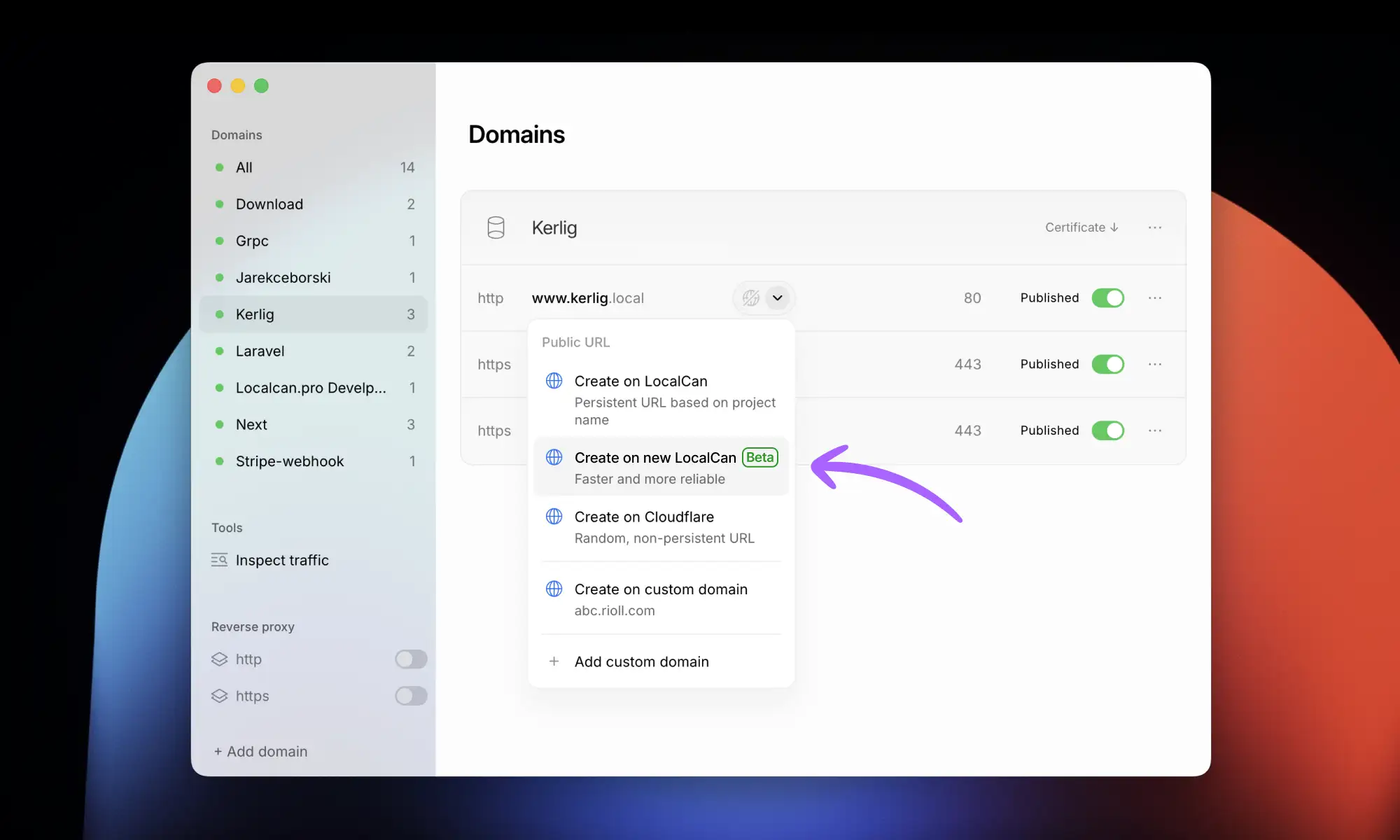
Next-gen Public URLs (Beta)
This update is the first step towards new LocalCan tunneling infrastructure. Based on the modern QUIC protocol, tunnels provide up to 5x throughput, lower latency, and higher reliability, especially on unstable networks and with network changes.
While still in Beta, there might be some quirks. If you encounter any problems or have feedback, we'd love to hear from you – please reach out to support.
Future updates will bring TCP tunneling, multi-region edge servers for even better performance and Windows support.
Other Improvements
- macOS Tahoe support: The UI is now adjusted to support the Tahoe look and feel.
Enjoy the update!
This update resolves an issue in local domains where X-Forwarded-Host header was set to the modified Host instead of the original host.
Enjoy!
Announcing LocalCan version 2.5.0 🎉

This release brings a bunch of exciting improvements to the Traffic Inspector and beyond.
Inspect Traffic
- Image Previews: You can now view images directly in the request and response bodies.
- Brotli Decompression: Added support for displaying response bodies compressed with the Brotli algorithm.
- Performance Boost: Significantly improved memory management and performance, especially when dealing with large requests and responses.
- Auto-Select UX: Improved the user experience for the auto-select option.
- Stability: Fixed a crash that occurred under certain conditions.
Other Improvements
- Consistent Headers: The
x-forwarded-*headers for local domains are now consistent with those used in Public URLs, ensuring uniform behavior.
Enjoy the update!

This update includes:
- Improved
X-Forwarded-*headers by removing excessive proxy hops (multiple comma separated values e.g.X-Forwarded-Proto: https,http) - Fix for Request Inspector showing an unmodified host header in WebSocket handshake request in LocalCan.dev tunnels
Enjoy!

This update fixes an issue where requests to the LocalCan Public URLs containing multipart/form-data with binary parts were not parsed correctly causing the request to fail with 400 Bad Request.
Enjoy!
Announcing LocalCan version 2.4.0 🎉

New Features
- Edit Domains: Instantly apply edits to your domains without recreating them.
- Edit Domain Groups: Personalize your domain groups with new name and icon customization options.
- Host Header Customization: Set the host headers for Public URLs and .local domains. Ideal for Laravel Herd users (See Guide: Using LocalCan with Laravel Herd Sites) or any context where host headers define served sites.
- Basic Auth for Public URLs: Protect your public app access with new Basic Authentication options for better privacy.
- Cloudflare Tunnels Improvements: Now featuring traffic inspection, customizable host headers, request replay, and Basic Auth.
Improvements
- Inspect Traffic Filter: Sort and analyze requests efficiently by filtering through methods, paths, and status codes.
- HTTPS→HTTPS Proxying: Useful if your existing app is already set up as https.
Plus, a dozen of under-the-hood improvements and optimizations.
Enjoy and thank you for choosing LocalCan!

In this release:
- Fixed a UI issue when displaying long Public URLs
- There is no error message appearing momentarily when creating a Cloudflare tunnel
- Resolved an issue where the "Show LocalCan" tray menu item had to be clicked twice to show the window
Enjoy!

This update fixes an issue where, in certain network configurations, wildcard subdomains didn't work. The reason was that mDNS was resolving to the wrong IP address of the host machine.
Enjoy!
Announcing LocalCan version 2.3.5 🎉

What's New
- Local domains reliability: Local domains now work smoothly after switching between Wi-Fi networks.
Improvements
- License Management: With the recently launched LocalCan™ Dashboard you can recover lost license keys and extend the allowed app updates period. There is new "I forgot my license key" option in the activation window, and an "Updates expired" badge will display if the license updates have expired.
- User Interface: App window now remembers its position between sessions.
- Menu Bar Icon: Added links for requesting features, reporting bugs, and Docs.
- Other: Under-the-hood improvements and optimizations.
Thank you for choosing LocalCan!
Announcing LocalCan version 2.3.4

What's New
- Custom Domains: Out of Beta: Custom domains are now a stable feature, with added support for multi-level custom domains e.g.
api.local.example.co.uk. There is no limit to the number of levels, but the whole hostname should be a maximum of 256 characters.
Improvements
- Traffic Inspection: You can now clear all requests – it's easier to start debugging with a blank list.
- Sidebar: Proxy errors are now more visible, so you won't miss them.
Enjoy, and thank you for using LocalCan!

Automatic renewal of certificates for local domains
- 🔒 LocalCan now automatically handles the renewal process for certificates associated with local domains, ensuring uninterrupted secure connections.
Other improvements
- ⚡️ Improved performance and stability. Various optimizations and bug fixes have been implemented to improve the overall performance and stability.
Enjoy!
Fixing an issue when WebSockets could disconnect in Public URLs: 🌐
- The response timeout was increased further from 30 seconds to 5 minutes, as some WebSockets with ping intervals longer than 30 seconds could disconnect randomly.
Enjoy!

Improvements to Public URLs: 🌐
-
Increased timeout for sending response to 30 seconds
-
Responding with
504 Gateway Timeoutwhen server response was not sent within 30 seconds
Enjoy!
Announcing LocalCan version 2.3.0 🎉

New feature: Custom domains in Public URLs 🌐
Boost branding and create more professional look of your Public URLs
- Add up to 2 custom domains
- Public URLs on a custom domain never expire
- Custom domain setup process takes 3 min
- Read more in Docs
Public URLs improvements
- Limit increase: we've increased the limit of Public URLs you can create from 3 to 5. More flexibility means more simultaneous live previews, making it easier to manage multiple aspects of your projects.
- Extended persistence: we understand the importance of longevity; thus, inactive Public URLs now persist for up to 5 days, up from the previous 1 day. This increase allows for more durable testing and sharing periods, giving your stakeholders more time to review and interact with your work.
Other improvements
- Connection tester: introducing a connection tester tool when adding a new domain. This addition checks if your target server is reachable, saving you time and eliminating the guesswork in troubleshooting connectivity issues.
- Better error messages: now, errors related to Public URLs, such as expiry notices or connectivity issues, are explicitly displayed inside its dropdown menu.
We're committed to making LocalCan the best tool for developers looking to share their local projects with the world. These updates are part of our ongoing efforts to respond to your feedback and improve your experience.
Grab a free 🟢 green-moonrise.heic wallpaper in 6K

Thank you for choosing LocalCan for your development needs!
Announcing LocalCan version 2.2.0 🎉

New Feature: 🃏 Wildcard subdomains for Local domains
This is a powerful feature, particularly for those working on multi-tenant applications.
What's New:
- Wildcard Subdomains: You can now publish domains in the format
*.app.local. This feature enables a catch-all functionality for any subdomain requested under your primary domain.
Key Benefits:
-
Flexibility: Manage multiple subdomains under a single wildcard domain. This feature is particularly useful for apps that have multiple microsites or services. You no longer need to add each subdomain individually.
-
Simplified Development: Ideal for multi-tenant app development, where each tenant requires a unique subdomain.
Thank you for your support!

Improvements to Local domains: ✨
-
Automatically redirect from
httptohttps(when the http domain doesn't exist, but https does). -
Add the missing
X-Forwarded-Hostheader on WebSocket upgrade requests. -
Fix WebSockets disconnecting randomly.
Enjoy!

New: Option to “Launch at Startup” ✨
- When turned on, LocalCan will launch silently on system startup, in Tray only mode
Updates in Inspecting Traffic
-
Highlight new requests on the list, and fade them out after 2 seconds
-
Fixed body display error when body was sent as incomplete
Enjoy!
Announcing LocalCan version 2.1.0 🎉

New Feature: 🚦 Inspect traffic from Local domains and Public URLs
- View requests and replies
- Replay requests (modify & replay feature coming soon)
- Prettify JSON and view decompressed payload (gzip, deflate)
- Display the request IP address
- Compact and condensed list layout
- Automatically select the newest requests
- Navigate using the keyboard
- No need for a target server to view requests
Updates to Local domains using reverse proxy:
- Potentially breaking change:
The reverse proxy will now use local domain (e.g. app-name.local) to set the
Hostheader, instead of using target server address for that (usually it was localhost or 127.0.0.1). This change aligns the behavior with Public URLs, which use the actual host address in theHostheader. - Local domains will respond with
502 Bad Gatewaywhen the target server is not available. This change aims to maintain consistency in behaviors with Public URLs.
Thank you for your support!

Improvements to Public URLs on localcan.dev
-
Improved reliability: Public URLs now automatically reconnect when occasional disconnections occur (e.g. internet connection lost).
-
Enhanced error handling: In the case of a target server not responding, Public URLs will stay connected and display a 502 Bad Gateway error page.
Other improvements
-
Added "Show what's new" button when new app version is available
-
Refreshed app icon
Thank you for your support!
Announcing LocalCan version 2.0.0 🎉

🌐 Persistent Public URLs:
- Create up to three persistent & short Public URLs based on your project name
- Option to pause & resume URLs when not in use while keeping them reserved for one day
🖱️ Enhanced Tray Icon Menu:
- Quick access to local domains and Public URLs.
- Click on a domain to open it in the browser directly.
💅 Refreshed User Interface:
- Better look and responsiveness
Thank you for your support and amazing feedback!

New Feature: Public URLs The most requested feature is here! Share your work effortlessly with clients or stakeholders, test webhooks, OAuth, and more - all with just one click by creating a Public URL. This feature is provided by the free Cloudflare Tunnel service.
Thank you for your support!

New:
- Trial version!: you can now test LocalCan for 7 days before purchasing
Improvements:
- Extended port range to 65535
- Automatically prompt to trust RootCA after adding first HTTPS domain
Fixes:
- UI fixes
Thank you for your support!

This update adds full keyboard navigation to Add domain form. Enjoy!

This update enhances Reverse Proxy's handling of redirects, ensuring URL rewriting on 301/302/307/308 redirects. Enjoy!
Announcing LocalCan version 1.2.0 🎉
This update focuses on giving your more flexibility when using reverse proxy.

New Feature:
- Reverse Proxy custom target host: you can now specify any IP address or host name as a target server for a domain
Improvements to reverse proxy:
- Proxy changes the origin of the host header to the target server address
- Proxy follows redirects and rewrites the location host/port
- Proxy adds x-forward headers
- Updated links to Docs
Fixes:
- Subdomains now working when using https
Thank you for your support and amazing feedback!
Announcing LocalCan version 1.1.0 🎉 This update focuses on enhancing connection handling and making your experience more convenient. It introduces a powerful reverse proxy that makes secure connections truly effortless. Additionally, the proxy is capable of forwarding ports, eliminating the need for remembering them and allowing you to use just domain names instead.

New Features:
- Reverse Proxy: The new reverse proxy allows you to handle secure connections truly effortlessly. You no longer need to add generated certificates to your server configuration. Reverse proxy will establish secure connections for you and pass the request to your localhost server. Enjoy a simplified experience!
- Port Forwarding: Say goodbye to remembering port numbers. With the latest update, the proxy can now forward ports for you. Simply use domain names instead, making it easier than ever to manage your connections.
Thank you for your support and amazing feedback! Please use in-app feedback form to say what your think about this update or ask any questions you may have!
First release! 🎉🎉🎉